Wealth and Precision
Invoices, expenses and bookkeeping for freelancers and small businesses
Send invoices, log expenses from a photo of the receipt and reconcile your bank. Everything stays organized and ready for your taxes, on an automated, audit-ready platform.
Private Accessarrow_forward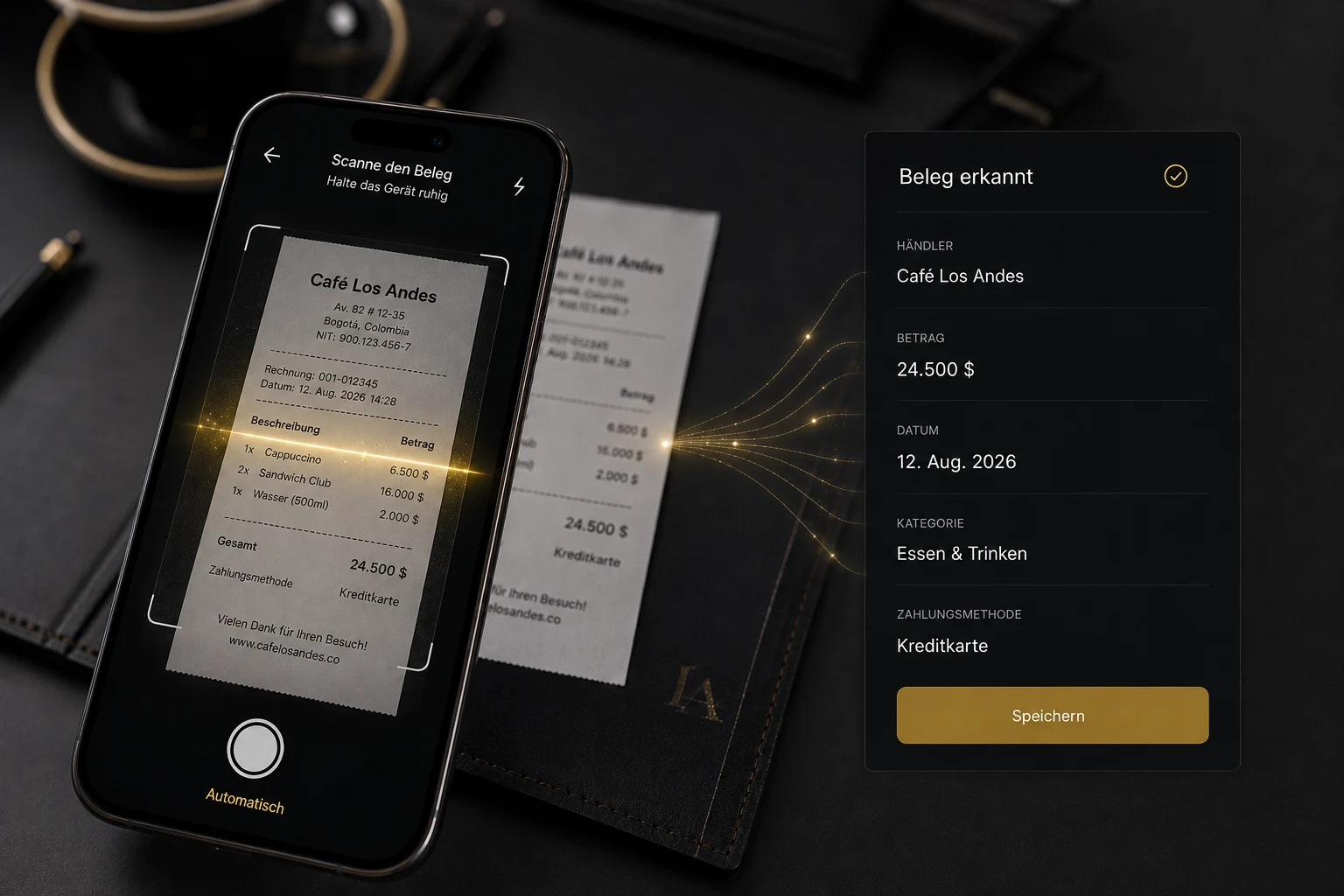
From your documents to tax-ready numbers, in 3 steps
It's that simple. No spreadsheets or paper folders.
Record your documents
Send invoices to your clients or upload a photo or PDF of any receipt, in seconds.
Classification and reconciliation
We read each receipt, extract the data and assign it to its category. Payments on your invoices are reconciled with your bank statement.
Everything is ready
Income and expenses are organized and ready for your tax reports, with no manual work.
Your everyday expenses, organized
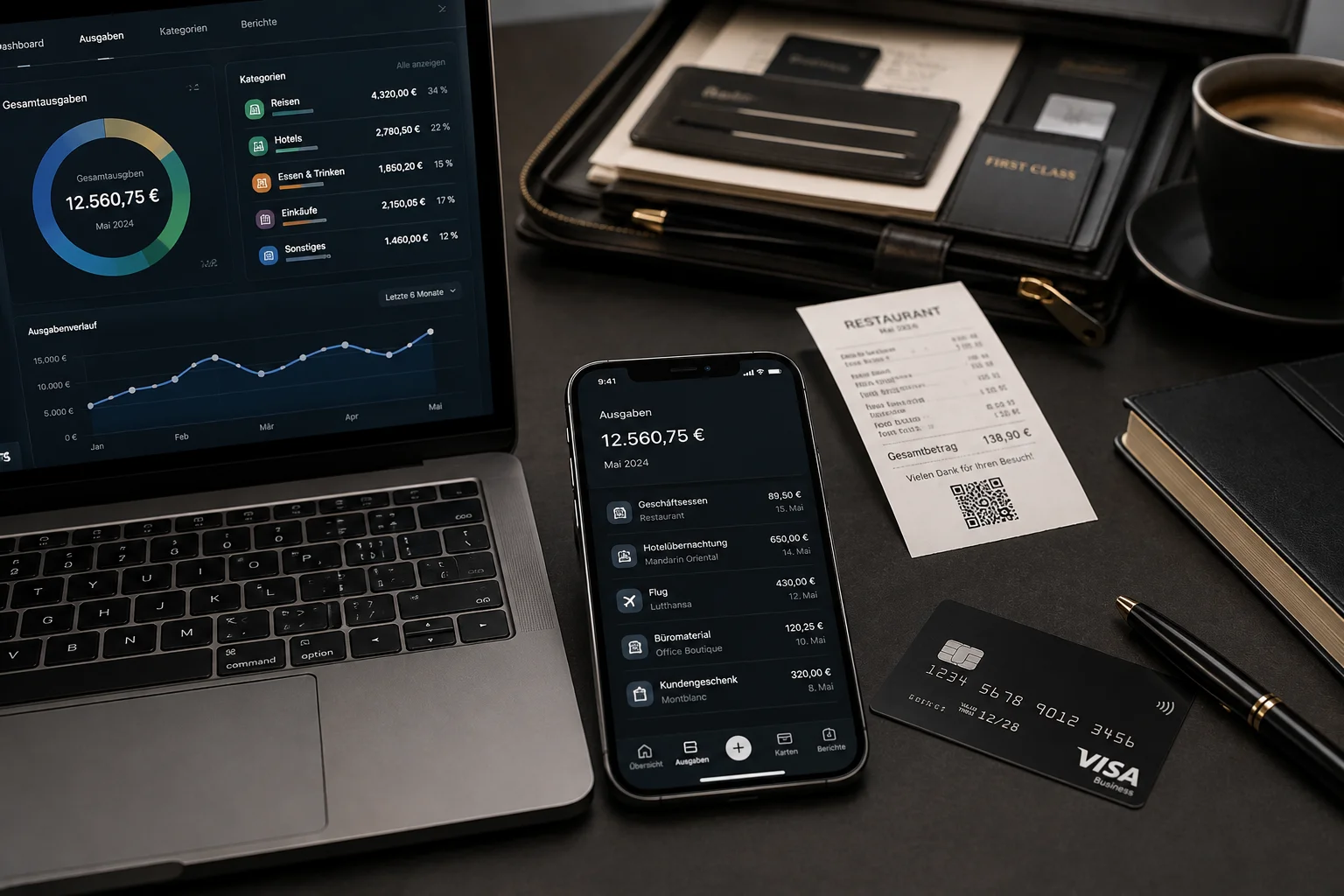
Every receipt is read, classified and ready for your taxes, whether it's a hotel, office supplies or a lunch with a client.

Lodging & Travel
Record hotels and travel costs from a photo of the receipt. Each document is classified and filed, ready for when you need it in a review.
Supplies & Equipment
Digitize purchases of supplies, courier services and office equipment: the data is read and flows into your deductible expenses with no typing.

Client Meals
Capture the receipt on the spot and keep it with its date, amount and taxes, so every entertainment expense is documented.
Private Document Upload
Upload your invoices and receipts and we read them for you: everything travels encrypted to our classification system.
End-to-end encrypted
Your documents are transferred and stored securely at every step.
Automatic OCR recognition
Our technology automatically extracts key tax data from every receipt.
Audit-ready archiving
Tamper-proof digital records speed up external audits.
Drag and Drop Your Documents
or click to browse your local files
Supports PDF, JPG, PNG. Maximum size: 50MB.
Overview of your income and expenses for taxes
Keep your deductible expenses, issued invoices and general costs under control. The clear overview helps you spot irregularities and discrepancies early, and better prepare the available data for further bookkeeping and tax review.
Support for clean receipt and expense management
Keep an easy eye on your receipts and expenses. The app helps you spot missing documents, flag unusual or non-conforming expenses, and bring together the key information for each transaction in one clear view. This way you can better prepare your records for tax close and spot early what's still missing or needs review.
FINANCIAL CORE
MarLomAg
Active sync
DOCUMENTS
248 files
Invoices and receipts verified
ANALYTICS
12 reports
Updated in real time
SECURE ARCHIVE
100% synced
Centralized, always-available data
PROTECTION
0 incidents
Encrypted, monitored operations
Frequently Asked Questions
Answers to the questions we hear most often.
receipt_longDoes MarLomAg replace my authorized invoicing system?expand_more
No. MarLomAg is not an officially authorized invoicing system with a certified numbering sequence. If you need to issue tax-compliant invoices (CFDI, RFC, NIT, etc.), you still need to use the certified system for your country. MarLomAg complements your invoicing system — it does not replace professional bookkeeping or tax advice, and it does not produce official tax or audit reports.
calculateCan I use MarLomAg's data for my taxes?expand_more
MarLomAg shows you your numbers in a clear, organized way, but it's your responsibility to verify their accuracy and check with your accountant or CPA before using them in any tax filing. Always keep your original documents.
lockIs it safe to share my invoices?expand_more
Yes. Your files are encrypted and stored on Cloudflare R2, and we keep a complete change history for auditing. We never sell or share your data with third parties. See our Privacy Policy for details.
smartphoneDoes it work on mobile?expand_more
Yes. MarLomAg is fully responsive and works in the browser on any device. A native iOS/Android app is currently in development.
workspace_premiumWhat's the difference between Starter, Basic, and Pro?expand_more
Each plan has a different monthly document limit and extra features, such as bank reconciliation, accounting exports, and read-write collaborators. See our full plan comparison table for the details.
event_busyCan I cancel anytime?expand_more
Yes. Paid plans have no minimum commitment — cancel whenever you want and keep access until the end of the period you already paid for.
publicDo you support my country?expand_more
MarLomAg supports freelancers and SMEs in Mexico, Colombia, Spain, Argentina, Peru, Chile, Brazil, Guatemala, Ecuador, Panama, Nicaragua, Paraguay, Uruguay, Germany, and more.
Don't see your country, or need a feature specific to your business? Contact us at support@matorcis.de.
Important information
What is MarLomAg?
MarLomAg is an expense- and income-management tool built for freelancers and SMEs.
It automatically extracts data from your invoices and expense receipts, and shows you a P&L (Profit & Loss) that summarizes your income, expenses, and profit.
What it is not
MarLomAg is not:
- closeAn officially authorized invoicing system with a certified numbering sequence
- closeA tax or accounting advisor
- closeA tool for filing official tax reports
- closeAn account-auditing service
- closeA replacement for professional bookkeeping
Your responsibility
When you use MarLomAg, you are responsible for:
- Ensuring the accuracy of the data you enter
- Complying with your local tax obligations
- Consulting your accountant or CPA before using this data for any tax filing
- Keeping your original documents (invoices, receipts)
- Knowing and following the regulations that apply in your country
Tax compliance
Tax compliance is the user's sole responsibility. MarLomAg is a tool for viewing your numbers — it is not a tax advisor. Always consult a professional.
A plan for every stage of your business
Start for free and upgrade whenever you need to. No commitment.
Your trial starts on the Starter plan and is subject to the usage limits listed below. If you don't activate a paid plan before the trial ends, your account automatically switches to read-only mode. Your existing data stays intact, but you won't be able to create new content or edit existing content. You can keep using MarLomAg by activating a paid plan or buying an extra scan pack. Buying an extra scan pack extends your trial once, by another 7 days.
- check50 documents/month (OCR)
- checkUp to 50 invoices, quotes, and recurring invoices in total
- checkOne-click quote-to-invoice conversion
- checkBank reconciliation
- checkInvite your accountant (read-only)
- checkPublic API + API Key (read-only)
- check200 documents/month (OCR)
- checkUnlimited invoices, quotes, and recurring invoices
- checkDATEV / XRechnung / ZUGFeRD export
- checkExport CSV/PDF/Excel
- checkInvite your accountant (read and write)
- checkPublic API + API Key (read and write)
- check1000 documents/month (OCR)
- checkUnlimited invoices, quotes, and recurring invoices
- checkDATEV / XRechnung / ZUGFeRD export
- checkUp to 3 read-write collaborators
- checkPublic API + up to 2 API Keys (read and write)
- checkAI-Concierge assistant
Extra scan packs
Went over your plan's monthly document limit? Buy a one-time pack instead of upgrading — credits never expire.
50 extra documents · one-time payment
200 extra documents · one-time payment
500 extra documents · one-time payment
Full plan comparison
| Starter | Basic | Pro | |
|---|---|---|---|
| Dashboard | |||
| Dashboard | Full | Full | Full |
| AI-Concierge | |||
| AI-Concierge assistant (chat + guided tours) | — | — | check |
| Documents | |||
| Documents/month (OCR) | 50 | 200 | 1000 |
| Bulk actions and automatic categorization rules | check | check | check |
| Invoices | |||
| Invoicing, clients, and credit notes | check | check | check |
| Invoices, quotes, and recurring invoices (total) | Up to 50 in total | Unlimited | Unlimited |
| PDF, XRechnung, and ZUGFeRD downloads | check | check | check |
| One-click quote-to-invoice conversion | check | check | check |
| Recurring invoices | check | check | check |
| Automatic payment reminders to clients | check | check | check |
| Void an invoice with a credit note (Storno) | check | check | check |
| Early-payment discount (Skonto) | check | check | check |
| Correct the exchange rate manually | check | check | check |
| VAT rules by client country | check | check | check |
| Bank reconciliation | |||
| Import bank statements with automatic match suggestions | check | check | check |
| Confirm a match to a sales invoice | check | check | check |
| Accounts payable | |||
| Track accounts payable and due dates | check | check | check |
| Automatic reminders to suppliers | check | check | check |
| Recurring vendor expenses | check | check | check |
| Reports | |||
| Spending charts and VAT report | check | check | check |
| PDF download and email sharing | check | check | check |
| Export to CSV and Excel | — | check | check |
| EÜR report (simplified profit & loss) | check | check | check |
| DATEV accounting export | — | check | check |
| Double-entry bookkeeping: Journal, Trial Balance, Balance Sheet, and Profit & Loss (Germany only) | check | check | check |
| Utilities | |||
| Business-days calculator and LATAM VAT reference | check | check | check |
| Settings | |||
| Business profile, security, SMTP email, and data import | check | check | check |
| Collaborators | 1 (read-only) | 1 (read-write) | 3 (read-write) |
| Public API + API Keys | 1 (read-only) | 1 (read-write) | 2 (read-write) |